
How to Sign Up for Tama-Chan with Your Phone or LINE
Sign up to Tama-Chan for free with your mobile number or LINE. Follow the screenshots; it takes under 5 minutes.
Open the sign-up page
- 1
Tap “Log in” or “Sign Up”
Top right of the site. Both go to the same page.
- 2
Tap “Register”
It's at the bottom of the “Sign in” page.
Sign up with your phone
- 1
Fill in 5 boxes, then tap “Continue”
- First and last name in English
- 10-digit mobile number
- A password of 8-24 characters, typed twice
- 2
Enter the SMS code, then tap “Sign Up”
No SMS yet? Wait 60 seconds and tap “Request OTP” again.
Or sign up with LINE
- 1
Tap “Log in with LINE”
The green button on the sign-in page. Finish LINE's steps.
- 2
Enter your name and phone, then confirm the OTP
No password needed this way, and your account is linked to LINE straight away.
After signing up
- 1
Start shopping
You land on your dashboard, already signed in. Tap the Mercari or PayPay banner to start searching.
- 2
Link LINE and add @tamachan
Tap “Click here” in the notice on your dashboard to get order updates on LINE.
Frequently asked questions
No. First and last name must be in English, with no spaces or hyphens: Jai-dee becomes Jaidee.
Check the number shown on screen. If it's wrong, tap “Back” and fix it. If it's right, wait 60 seconds and tap “Request OTP” again.
Tap “Forgot Password ?” on the sign-in page, enter your phone number and a new password, then confirm with the SMS code.
Read next
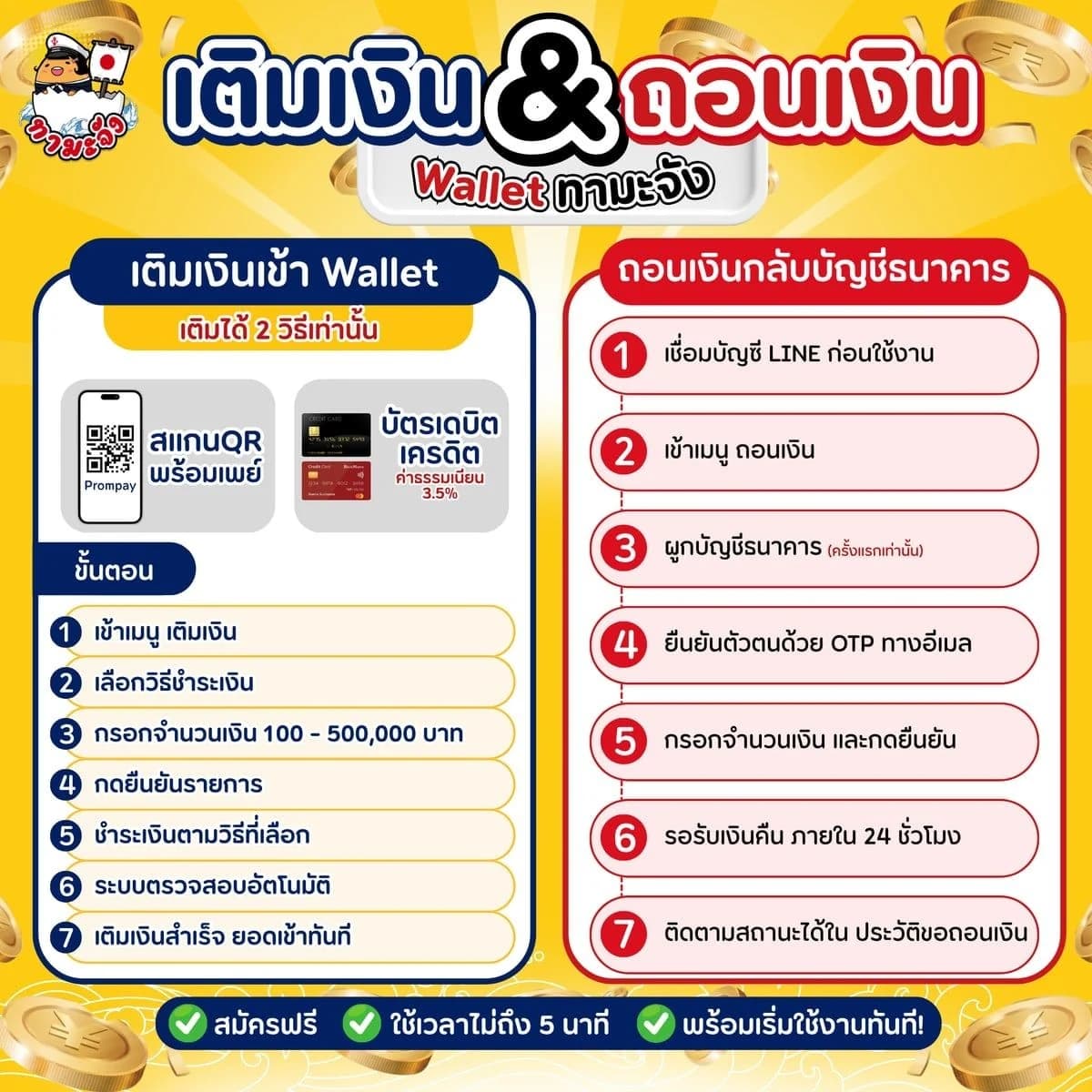
- How to Top Up Your Tama-Chan Wallet and Withdraw to Your BankTop up your Wallet by PromptPay QR or card, and withdraw what's left to your bank. Just follow the screenshots.
- How to Order from Mercari: Search, Haggle, Pay and TrackOrder from Mercari Japan yourself on Tama-Chan. No Japanese account needed: just follow the screenshots step by step.

- How to Order from PayPay Flea Market, from Search to Delivery in ThailandOrder from Japan's PayPay Flea Market yourself on Tama-Chan. No Japanese account needed: just follow the screenshots step by step.

- Service fee and shipping rate tablesCheck the per-item service fee and the sea and air freight rates before you commit
Related keywords
- Tama-Chan sign up
- sign up with a phone number
- SMS OTP verification
- log in with LINE
Ready to start ordering from Japan?
Once you are in, order from Mercari and PayPay Flea Market yourself, or message an admin on LINE.