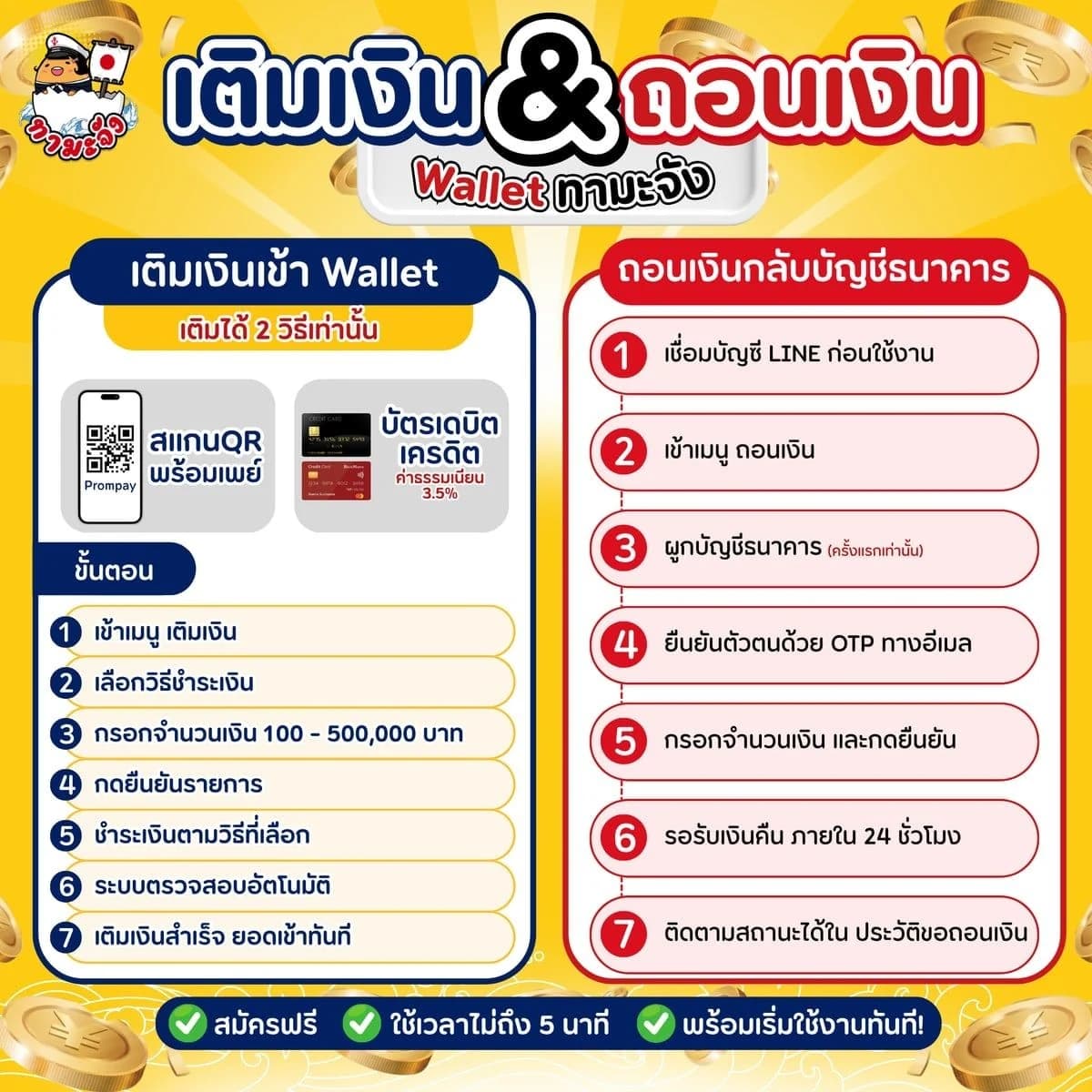
How to Top Up Your Tama-Chan Wallet and Withdraw to Your Bank
Top up your Wallet by PromptPay QR or card, and withdraw what's left to your bank. Just follow the screenshots.
Your Wallet is the balance you pay for items with on Tama-Chan. Top it up first; anything left can go back to your bank account.
Top up
- 1
Tap “Top-up” on the My Wallet card
It's on your dashboard, or go to “Transactions” > “Deposit”.
- 2
Choose how to pay and enter the amount
- PromptPay QR
- Debit / credit card (3.5% fee)
Top up 100 - 500,000 baht at a time, then tap “Confirm”.
- 3
Scan the QR or enter your card
Scan the PromptPay QR with any banking app; no slip needed. For a card, tap the link and enter it on the page that opens.
- 4
Wait for “Top-up successful”
The page checks by itself. Once you see this, the money is in your Wallet.
Withdraw to your bank
- 1
Go to “Transactions” > “Withdraw”
The first time, tap “Add bank account”.
- 2
Enter your bank account and confirm with an OTP
The code comes by SMS to the phone you signed up with.
- 3
Enter the amount and tap “Confirm”
No fee. We transfer it within 24 hours and tell you on LINE when it's done.
Frequently asked questions
It's added on top: top up 1,000 baht and your card is charged 1,035; your Wallet gets the full 1,000. Use PromptPay QR to avoid the fee.
The withdrawable balance leaves out money held for items still up for auction. You can withdraw up to that amount.
Yes, until we transfer it: tap “Cancel request” in “Withdrawal History” and the money goes back to your Wallet.
Read next
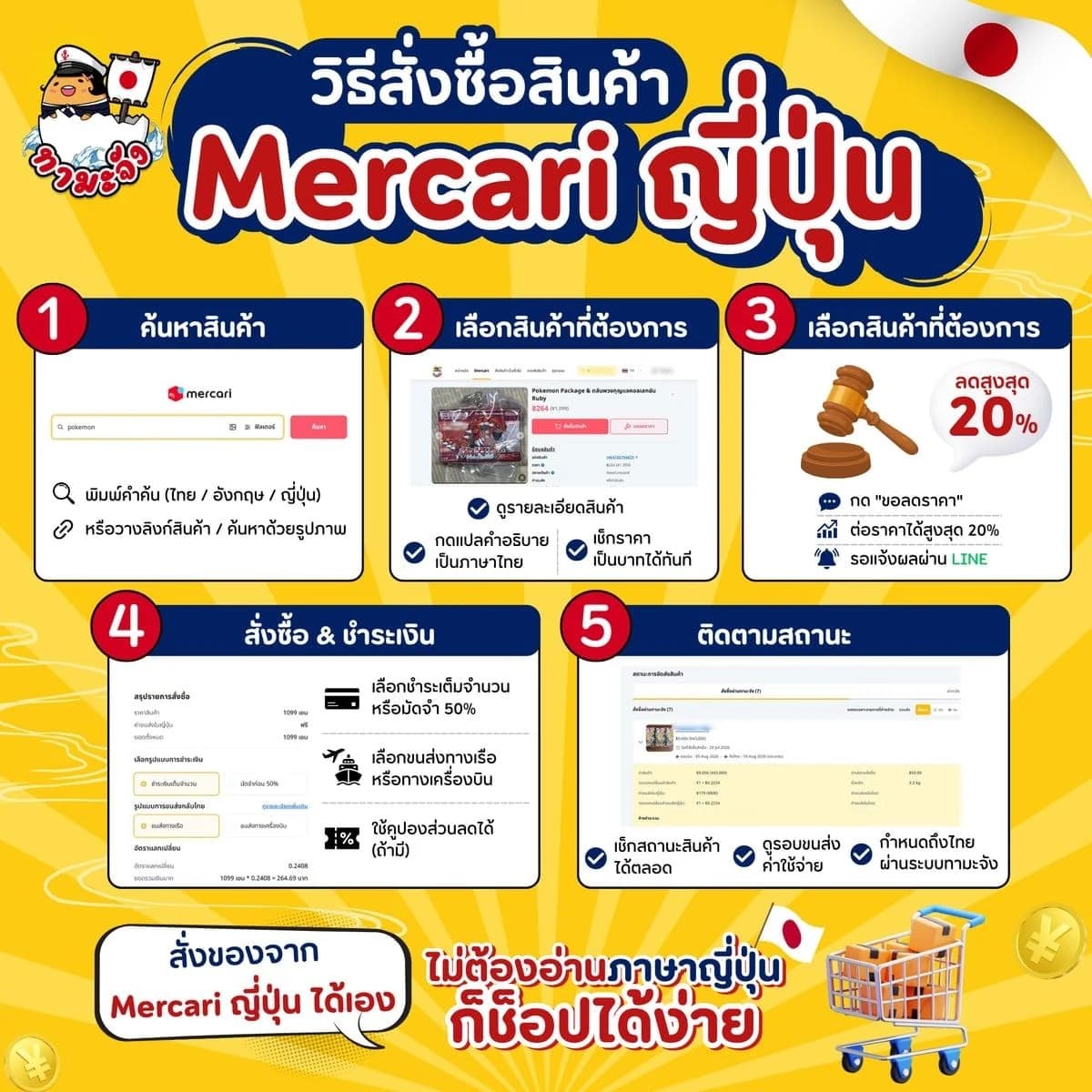
- How to Order from Mercari: Search, Haggle, Pay and TrackOrder from Mercari Japan yourself on Tama-Chan. No Japanese account needed: just follow the screenshots step by step.
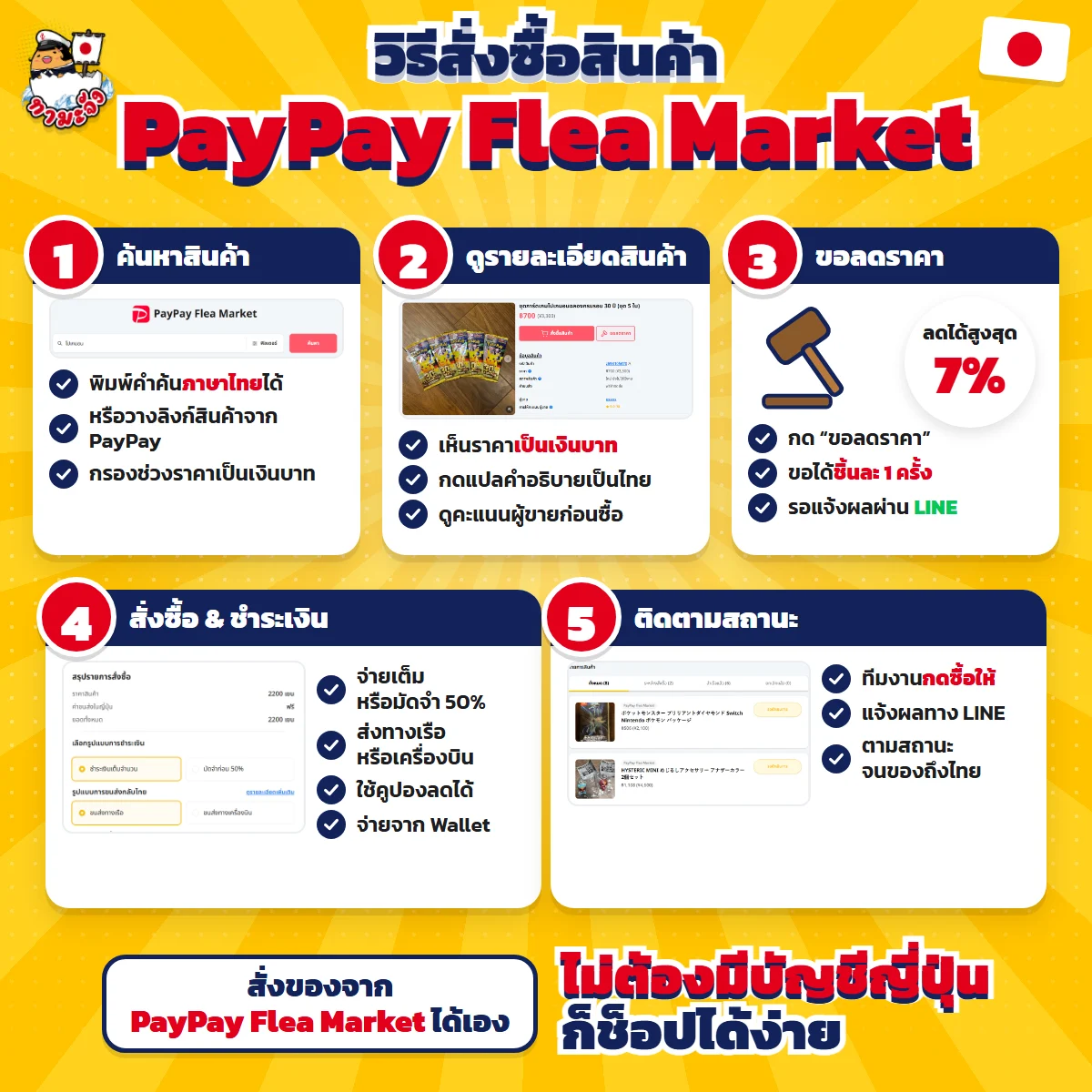
- How to Order from PayPay Flea Market, from Search to Delivery in ThailandOrder from Japan's PayPay Flea Market yourself on Tama-Chan. No Japanese account needed: just follow the screenshots step by step.
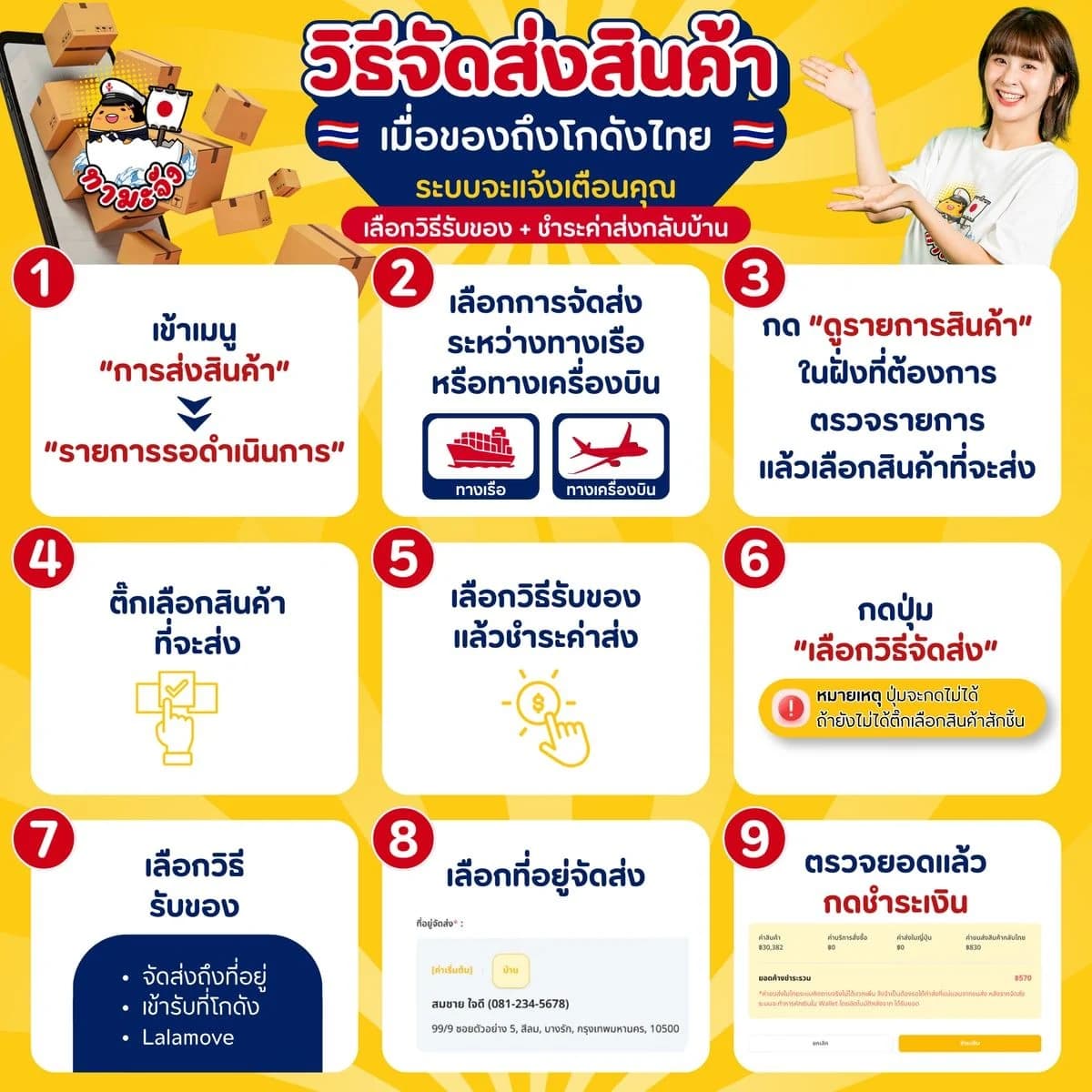
- Confirm shipping on Tama-Chan when your goods reach ThailandGoods at our Thailand warehouse? Arrange delivery yourself on the site: pick sea or air, choose how to receive them, and pay the shipping. Just follow the screenshots.
- Service fee and shipping rate tablesCheck the per-item service fee and the sea and air freight rates before you commit
Related keywords
- top up Tama-Chan wallet
- withdraw from Tama-Chan
- PromptPay QR top-up
- withdraw to a bank account
Ready to top up?
Keep a balance ready and order the moment you find something, or message an admin on LINE.