Confirm shipping on Tama-Chan when your goods reach Thailand
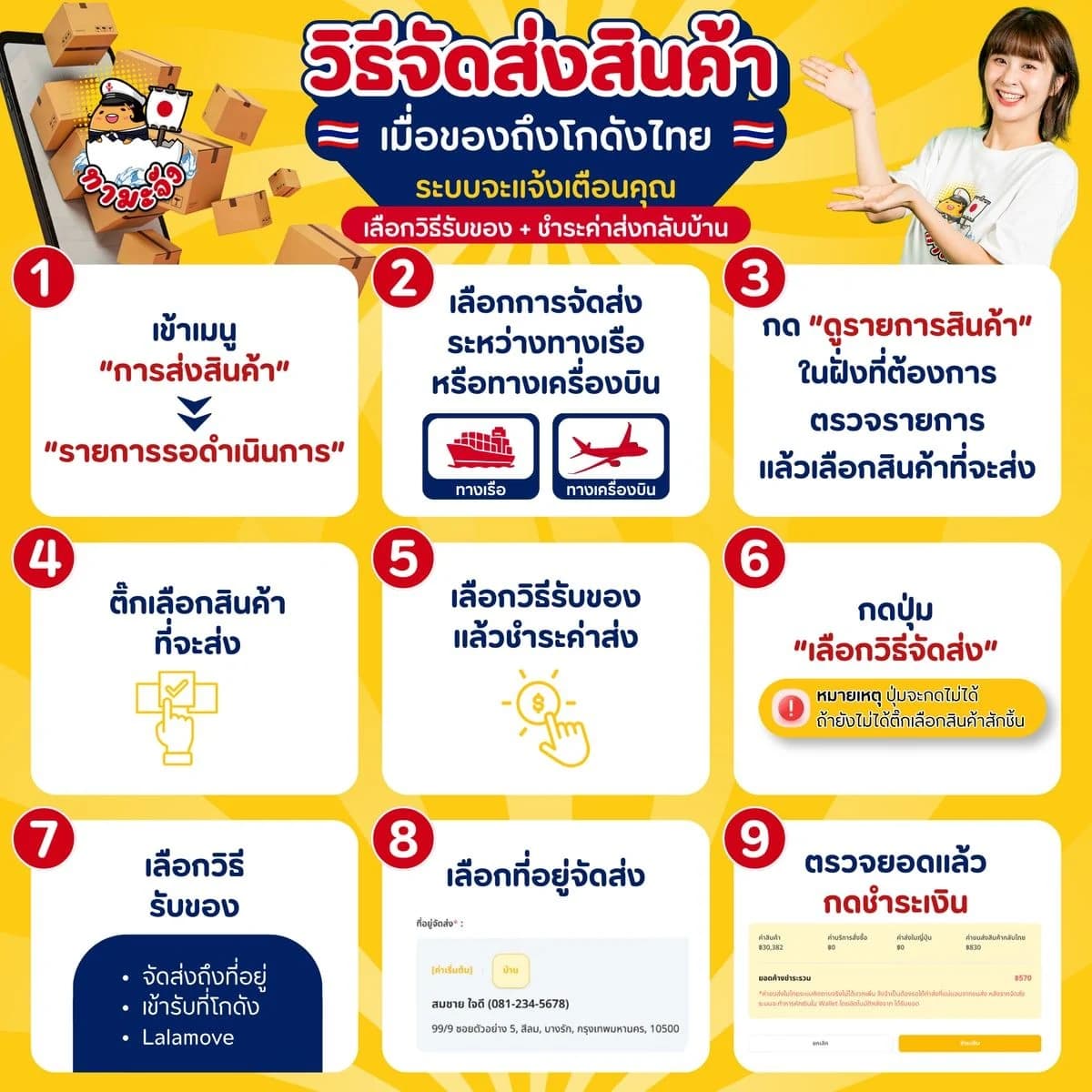
Goods at our Thailand warehouse? Arrange delivery yourself on the site: pick sea or air, choose how to receive them, and pay the shipping. Just follow the screenshots.
Goods at our Thailand warehouse wait until you confirm. Have enough in your Wallet and a delivery address saved, then follow these steps.
Open Receive Items
- 1
Tap “Receive Items”
It's in the top menu, or tap “View more” in the yellow bar on your dashboard.
Pick sea or air
- 1
Pick a side, then tap “View items”
Sea and air goods are in different warehouses, so you do one side at a time. If only one side has goods, this page is skipped.
Choose what to send
- 1
Tick the items you want to ship
Then tap “Select Shipping Method”. Everything is ticked for you; untick any group you're not sending yet.
- 2
Switch to the other side (sea / air)
If you have goods by both sea and air, tap “Switch to air freight items” or “Switch to sea freight items” at the top right to see the other side.
Choose delivery and pay
- 1
Choose how to receive it
- Delivery to address
- Lalamove (add a Google Maps location link)
- Warehouse pickup (sea goods only)
- 2
Check the delivery address
Your default address is filled in. To change it, tap “Change Address”.
- 3
Check the total, then tap “Pay Now”
This covers shipping to Thailand and anything still due. Delivery within Thailand is deducted from your Wallet later, at what the courier charges.
- 4
Tap “Pay Now” again to confirm
If your Wallet is short, the box shows how much to add. Top up, then come back and finish.
- 5
Find the tracking number under “Processed Items”
The Thai tracking number appears once the courier has the parcel.
Frequently asked questions
You can collect sea goods only. The warehouse is the “Smile Shipping” pin on Google Maps (maps.app.goo.gl/QKEGVXeQXDFehHDK6), open 9:00-11:45 and 13:00-17:00 on the dates under “Warehouse pickup schedule”.
Not when you arrange delivery. It's deducted from your Wallet after the courier bills it, at cost, with nothing added.
They're kept in different warehouses, so you arrange each side separately, and delivery within Thailand is charged separately too.
Read next
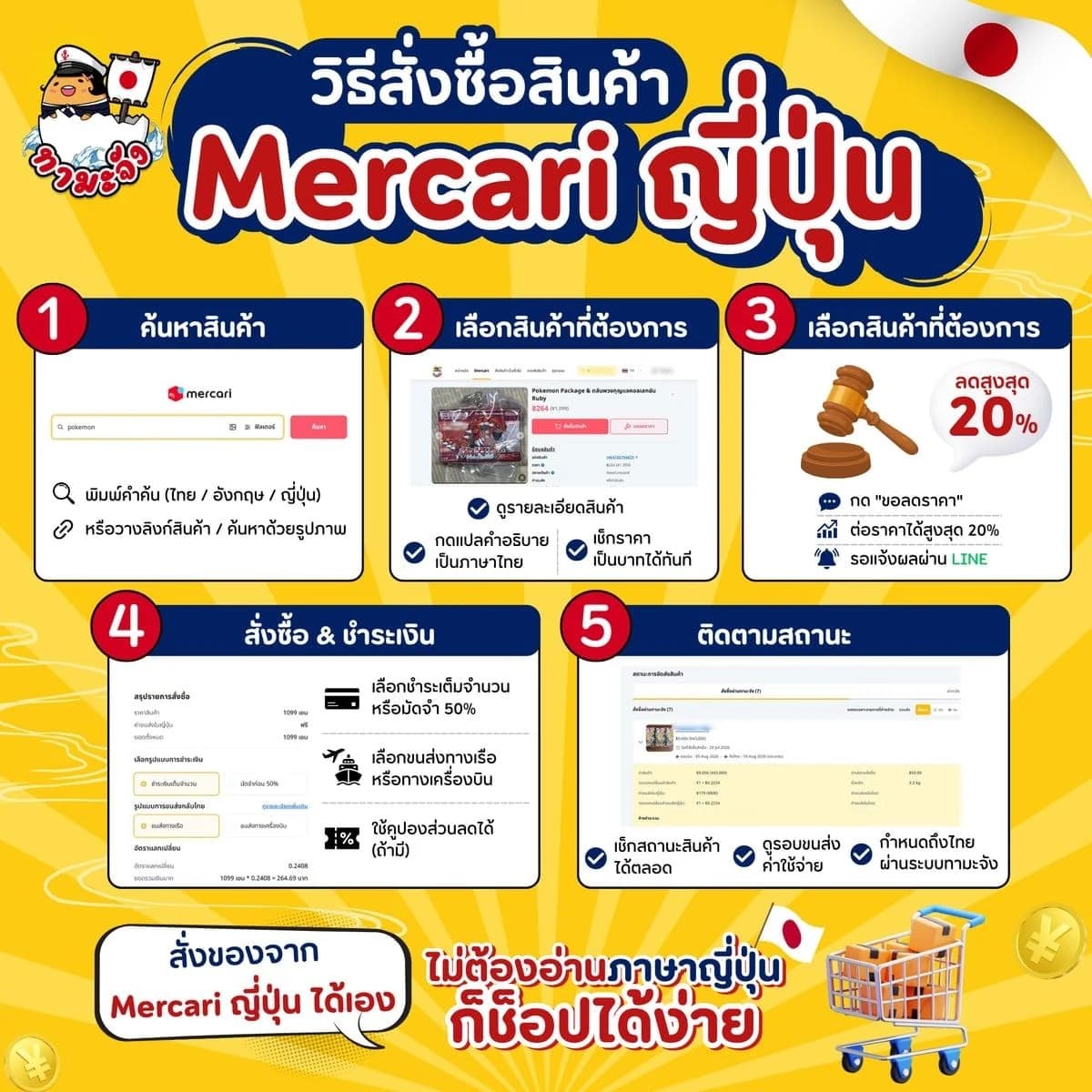
- How to Order from Mercari: Search, Haggle, Pay and TrackOrder from Mercari Japan yourself on Tama-Chan. No Japanese account needed: just follow the screenshots step by step.
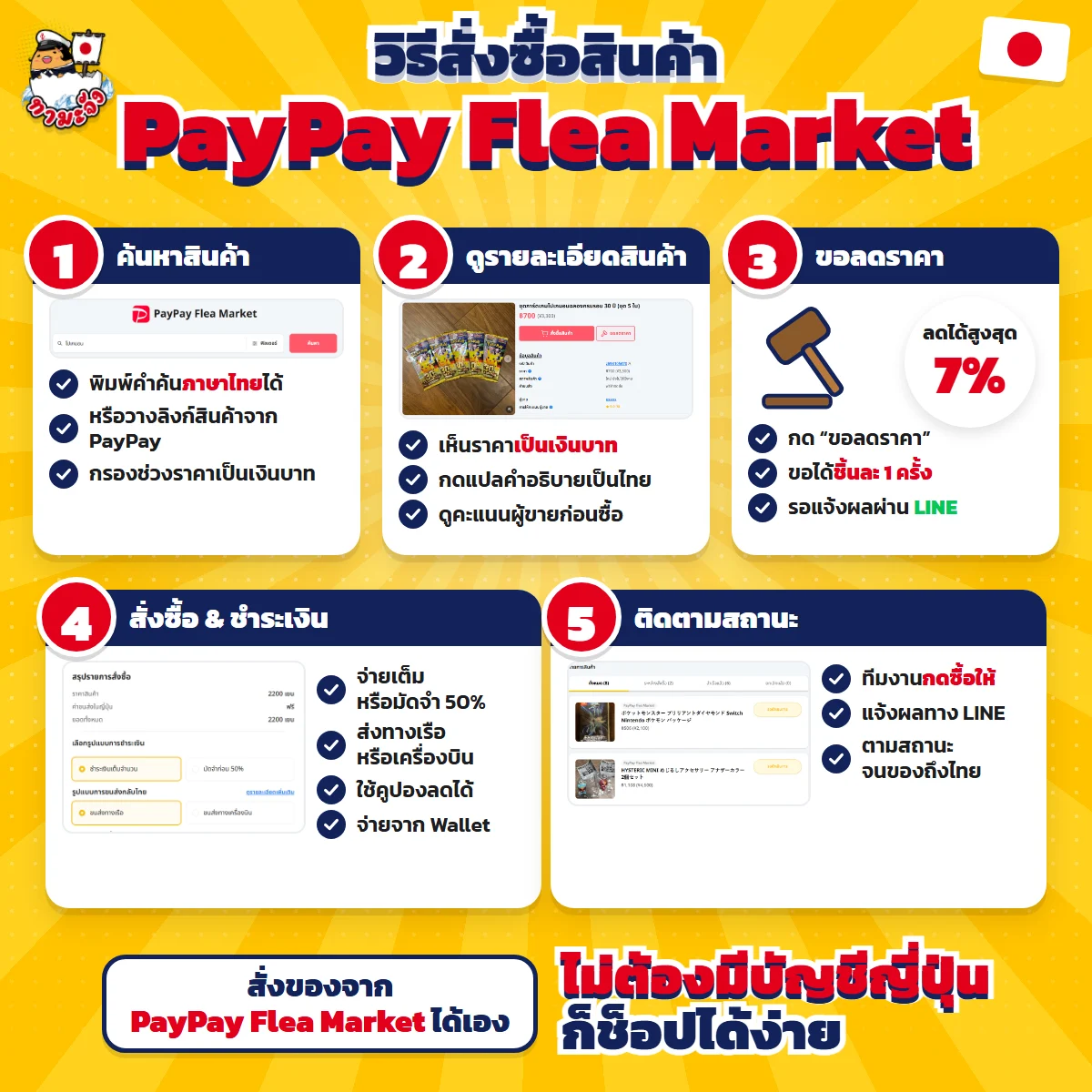
- How to Order from PayPay Flea Market, from Search to Delivery in ThailandOrder from Japan's PayPay Flea Market yourself on Tama-Chan. No Japanese account needed: just follow the screenshots step by step.
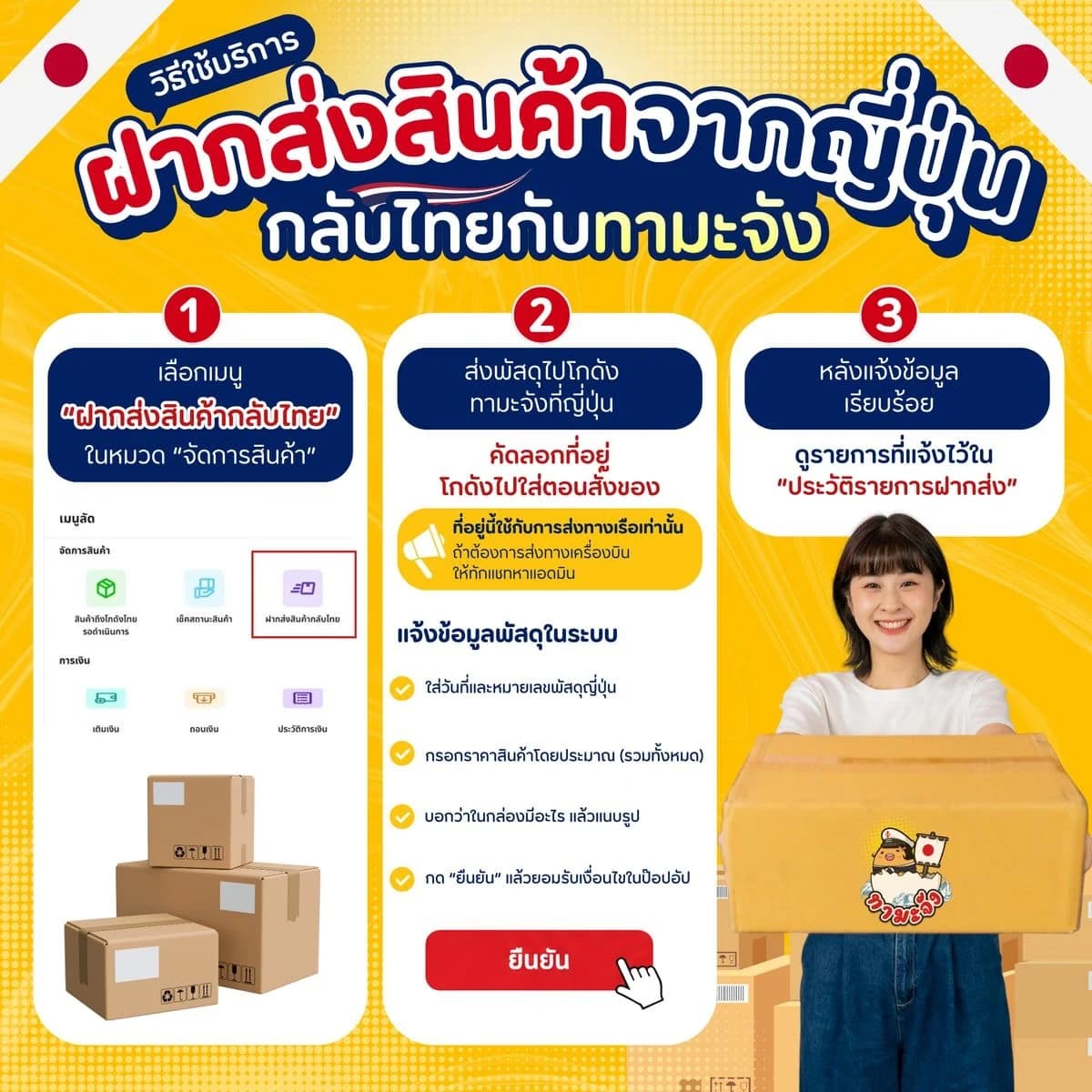
- How to Forward Your Own Parcels from Japan to ThailandBought something in Japan yourself? Send it to our warehouse there, tell us the tracking number on the site, and we ship it home. Just follow the screenshots.
- Service fee and shipping rate tablesCheck the per-item service fee and the sea and air freight rates before you commit
Related keywords
- confirm shipping Tamachan
- Tamachan warehouse
- where is the Tamachan warehouse
Do you have goods waiting in Thailand?
Open Receive Items to confirm shipping yourself, or message an admin on LINE.